/filters:quality(90)/fit-in/970x750/coros-web-faq/upload/images/65ab746ded126d24d3365025b574b54a.png)
This March, we’re sending a major update that helps you take the guesswork out of hilly runs, master your race-day pacing, and understand your weekly training volume at a glance. These features are designed to give you more details in your training, make your racing more predictable, and your device more secure.
Pace Strategy
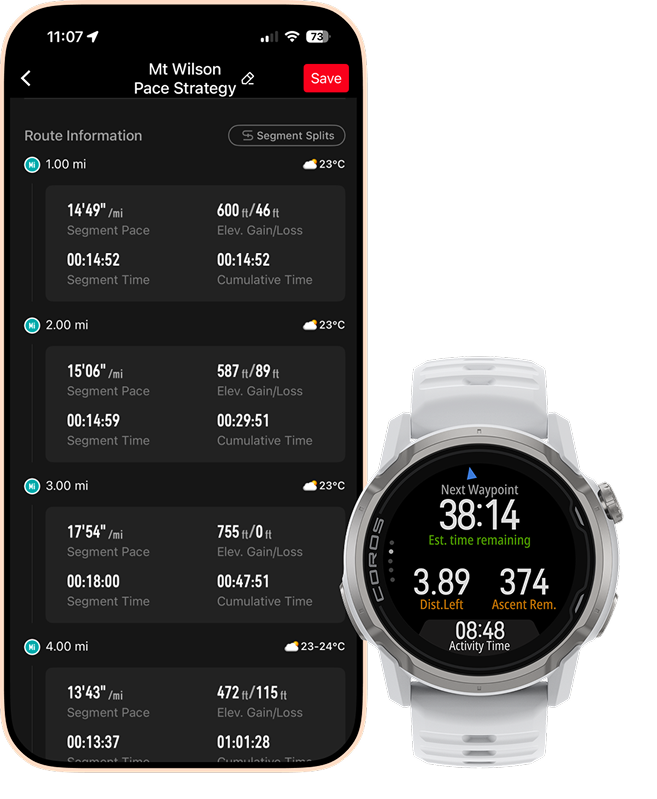
It can be hard to know exactly how to pace yourself on a hilly course, which often leads to starting too fast and "bonking" before you reach the finish line. Pace Strategy solves this by letting you create custom race and adventure plans directly in the COROS app. You will know exactly whether you are ahead or behind schedule, how much time you've spent at aid stations, and your estimated finish time—helping you perfect your pacing for your biggest days.
For trail and ultra-runners:
Pick any route saved in your COROS app, adjust your estimated finish time with a simple slider, and modify any individual segment time or aid station time based on your expectations. During your activity, view a projected time of arrival at upcoming waypoints along the route, how far ahead or behind you are according to your plan, and your estimated finish time. Pace Strategy creates your initial plan based on your current fitness level and adjusts your expected paces based on the terrain. Additionally, view expected weather conditions along the course as your race date approaches to adjust your fueling strategy down to each individual course segment.
For road runners:
Choose a custom distance or standard road race distances (5km-marathon), adjust your overall estimated finish time, adjust splits for specific segments, and choose whether you want to have a negative or positive split throughout the course. If your course is hilly, you can also base your pacing strategy on the route (see above) and have COROS design you a custom pacing strategy with Effort Pace splits to better account for pace changes on hills.
Hill Alerts
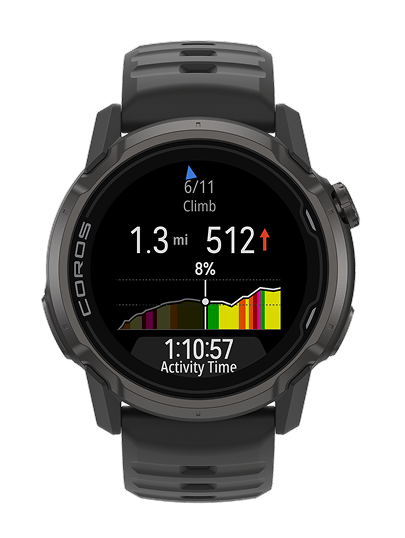
Staring at a giant hill can be intimidating, especially when you don't know how long the climb will last. Hill Alerts solve this by giving you a real-time heads-up for upcoming climbs and descents directly on your watch. You can also review every segment in the COROS app before you start, so you know exactly what to expect during your run.
- Know what’s coming: Your watch will alert you when a hill starts, tell you how far along you are on that specific hill segment, and track your progress to the top.
- Your choice: If you’d rather just put your head down and run without the alerts, you can easily turn these alerts off in your settings.
Weekly Distance
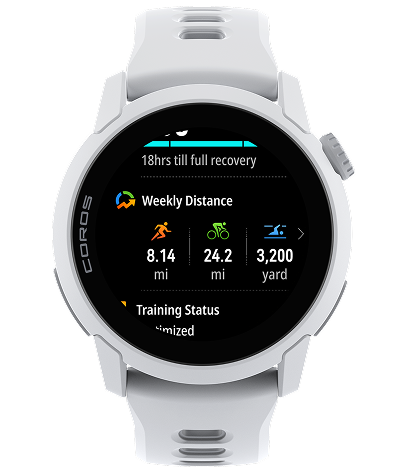
It can be tedious to dig through menus or open your phone just to see if you're hitting your mileage goals for the week. You can now easily view your distance from Run, Bike, and Swim activities you've tracked over the current calendar week. Enter the widget by scrolling through your Daily Data items directly from your watch face. You can select each distance type, and scroll through the days of the current week to see the details of the mileage you've tracked.
Hybrid Fitness
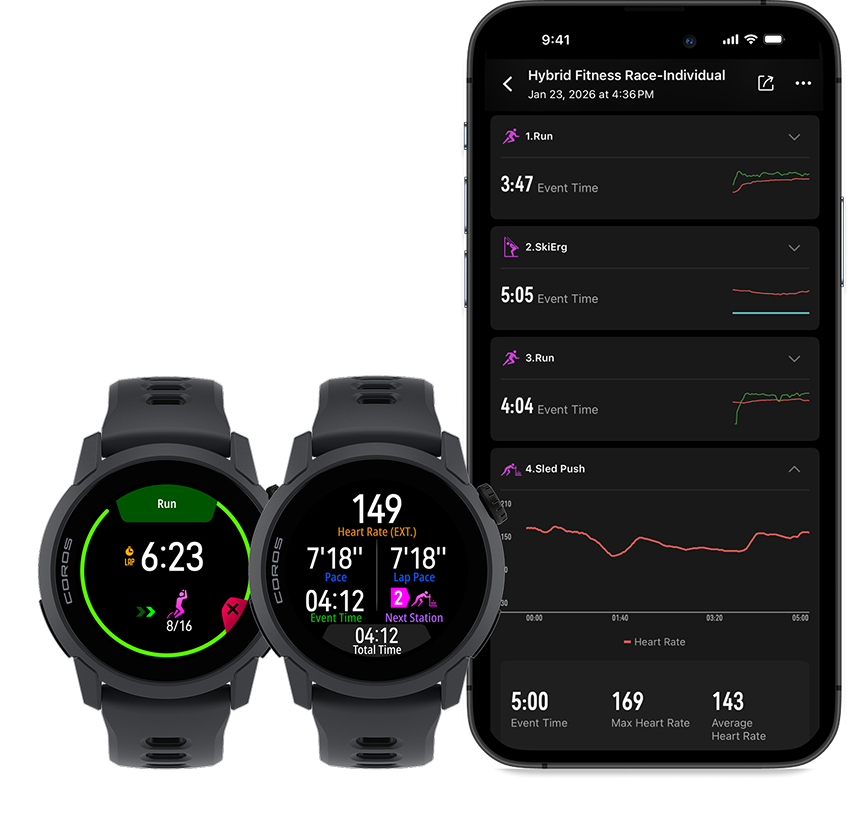
Manually switching your watch between running laps and functional training stations during a race or key workout is a major distraction that often leads to messy data. Hybrid Fitness Mode solves this by automatically recognizing when you move from a run to your next exercise. Think of it like a stopwatch that knows exactly what you’re doing, and shows you real time data relevant to the specific exercise set you're on, so you never have to touch a button until the race or workout is over.
Passcodes
To keep your information safe, we’ve added Passcodes that lock your watch when it leaves your wrist. You can set a 4-digit PIN, and if the watch is off your arm for more than a minute without any interaction, it requires the code to view any data.
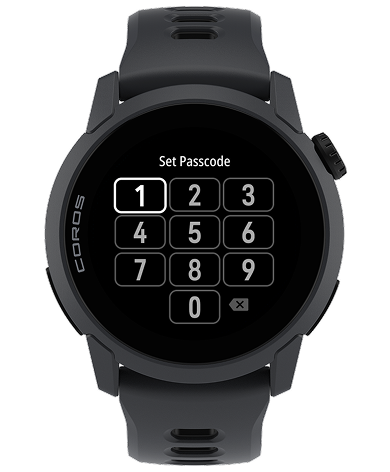
Currently available for NOMAD, APEX 4, PACE Pro, and PACE 4 only. Additional device support coming soon.
Large Font for Notifications
We know small text is hard to see while moving, so you can now make the font larger for your notifications.
- Modify notification font sizes by opening notifications from the daily widgets, press the dial to select a notification, and scrolling to "Font Size".
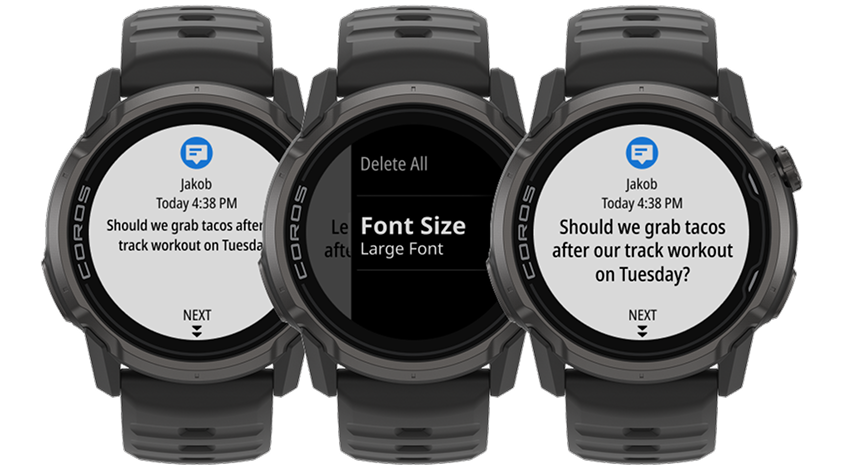
Available for NOMAD, APEX 4, PACE Pro and PACE 4 only.
And plenty more.
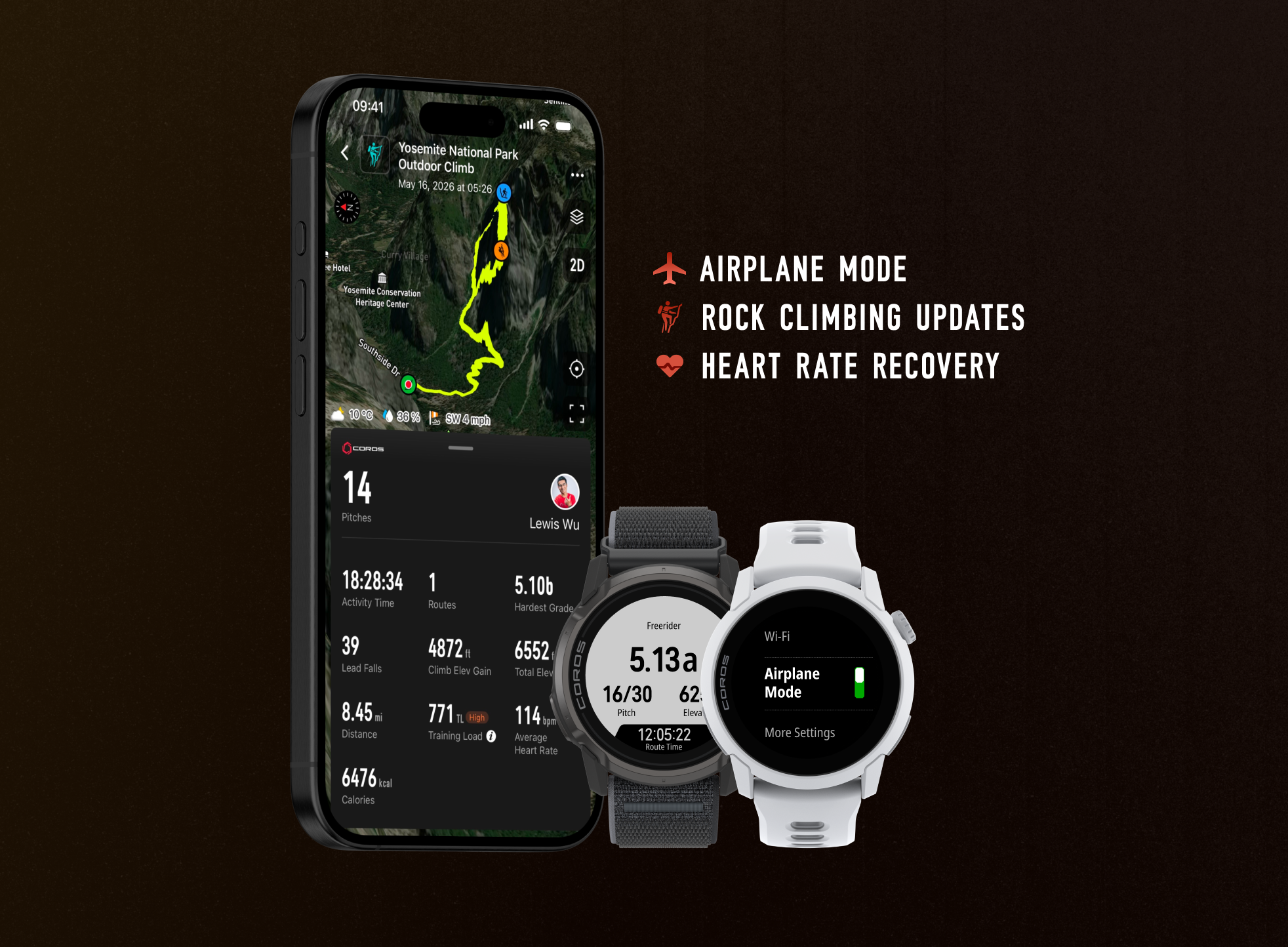
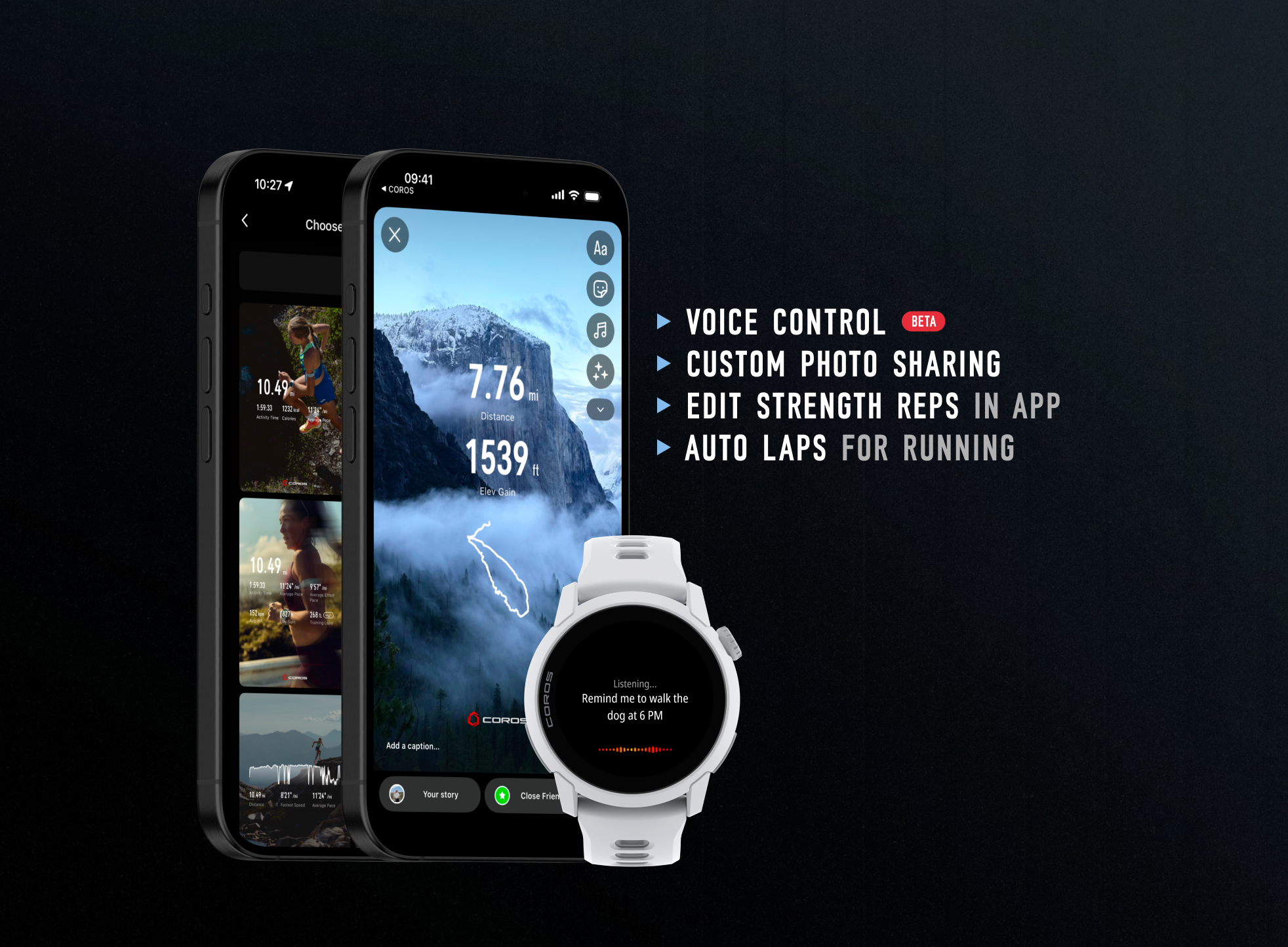
- Pause Options: Perform functions like reviewing your previous activity laps, or jumping to a different stage of your structured workout, all without pausing your activity with this new Dial Press setting. Now available on PACE 3, PACE Pro, NOMAD, APEX 2 / 2 Pro, and VERTIX 2 / 2S (already available on PACE 4 and APEX 4). <<Learn More>>
- Finish Pause: This new setting for structured workouts lets you choose if your workout should pause when you complete its final stage, or have the activity continue tracking until you decide you're finished.
- Multisport Improvements: For Multisport or Triathlon workouts, the top bar of your activity summary includes a dropdown menu allowing for easy switching between activity modes. And now you can also pause an outdoor activity and seamlessly change to a different mode, combining your workouts into a single activity you can easily review together afterwards in the app via the new "Change Activity" option.
- Nutrition Alerts: We've expanded the increments you can choose to be anywhere from 5 to 60 minutes, and can be chosen by the exact minute.
- Race Predictor: You can now view trends for Race Predictor in the COROS app, showing how your prediction times for each distance have progressed over time.
- Sleep Mode now continues until your listed Wake Time, or it is manually exited via Control Center. Your watch's display behavior has also been adjusted to reduce nighttime disturbances. <<Learn More>>
- Rock Climbing updates:
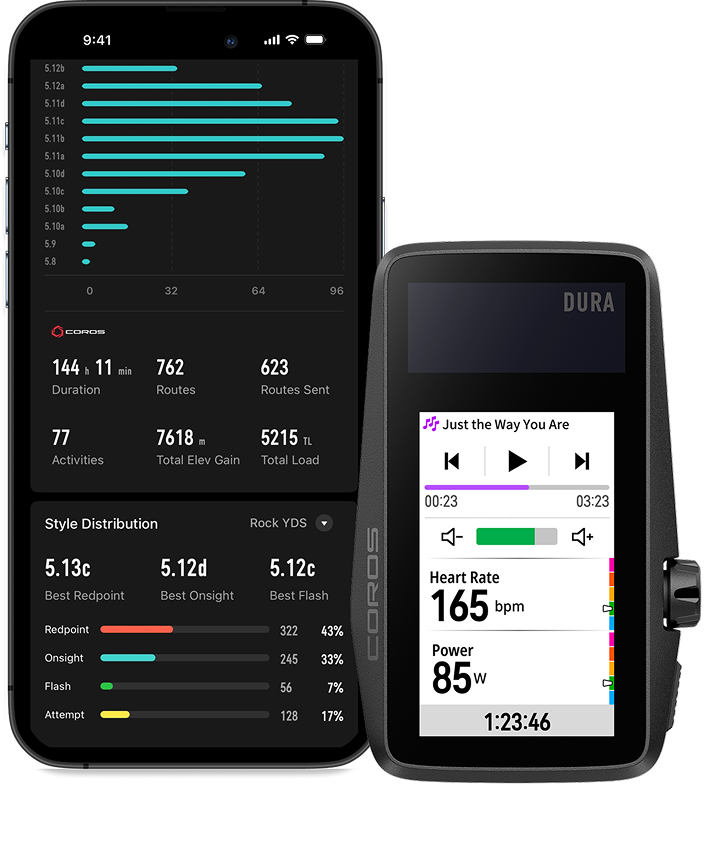
- Activity summary updates in the app, providing more detail and improving your ability to analyze your climbs.
- Auto Pitch finish detection added for Single Pitch climbing.
- Improved flow on the watch for tracking your outdoor sessions including new Rest phase.
- Outdoor climbing statistics added in the app, providing deeper insight into your total climbs tracked.
- Save recently completed activity records in your app as a new route and sync them to your watch, even without network service.
- Improved the visual display when viewing your activity data graphs in landscape mode.
- We've made additional optimizations to Pool Swim mode.
- Updates for COROS DURA
- Control media like podcasts, music, and audiobooks directly from your bike computer.
- Further map road-type optimizations.
- Lap screen visual enhancements.
What updates will my device receive?
| Pace Strategy | Hill Alerts | Hybrid Fitness | Weekly Distance | Passcodes | Race Predictor Trend | |
| PACE 4 | ✅ | ✅ | ✅ | ✅ | ✅ | ✅ |
| APEX 4 | ✅ | ✅ | ✅ | ✅ | ✅ | ✅ |
| NOMAD | ✅ | ✅ | ✅ | ✅ | ✅ | ✅ |
| PACE Pro | ✅ | ✅ | ✅ | ✅ | ✅ | ✅ |
| PACE 3 | ✅ | ✅ | ✅ | ✅ | TBD | ✅ |
| APEX 2 / 2 Pro | ✅ | ✅ | ✅ | ✅ | TBD | ✅ |
| VERTIX 2 / 2S | ✅ | ✅ | ✅ | ✅ | TBD | ✅ |
| DURA | - | ✅ | - | - | - | - |
| PACE 2 | - | - | - | - | - | ✅ |
| APEX Pro | - | - | - | - | - | ✅ |
| VERTIX 1 | - | - | - | - | - | ✅ |
| APEX 42/46mm | - | - | - | - | - | ✅ |
How can I learn more?
If you want to stay ahead of the curve, Inside Track is your direct line to insider COROS knowledge. This mailing list is curated specifically for people who want to go deeper in product features and learn more about how to best use their device. By joining, you'll receive advanced tips, early looks at upcoming features, and technical insights shared by the pros. It’s the ultimate resource for teaching yourself the "pro secrets" of the COROS ecosystem.
Why don't I see the update yet?
The update has been released to iOS and Android app stores on a rolling basis. Availability in the app stores is typically available to all devices globally within one week of release. If you don’t see it yet, check your app store again over the next few days. After installing the app update, install the available firmware update for your watch to receive the new features on it.